Working with Triggers
Triggers execute Tabsdata functions. A trigger can be initiated manually through a CLI command or the UI, automatically by a new commit to its associated table, or through Crontab configurations.
Manual Triggers
Manual triggers are initiated by a CLI command or the UI.
For example, you can trigger a publisher to read sales data from a database table and publish it to the Tabsdata server.
You can manually trigger any Tabsdata function, even those with a specified automated trigger.
Using CLI
To trigger a function, use the following command in a command line interface:
$ tdk fn trigger --coll <collection_name> --name <function_name>
Where:
<collection_name>is the name of the collection in the Tabsdata server that the function is registered with.<function_name>is the name of the function to be executed. This name is defined when the function is registered.
Using UI
Click on the collection name “tutorial” on the left hand side or from the collection list to open the view containing further details regarding the collection.
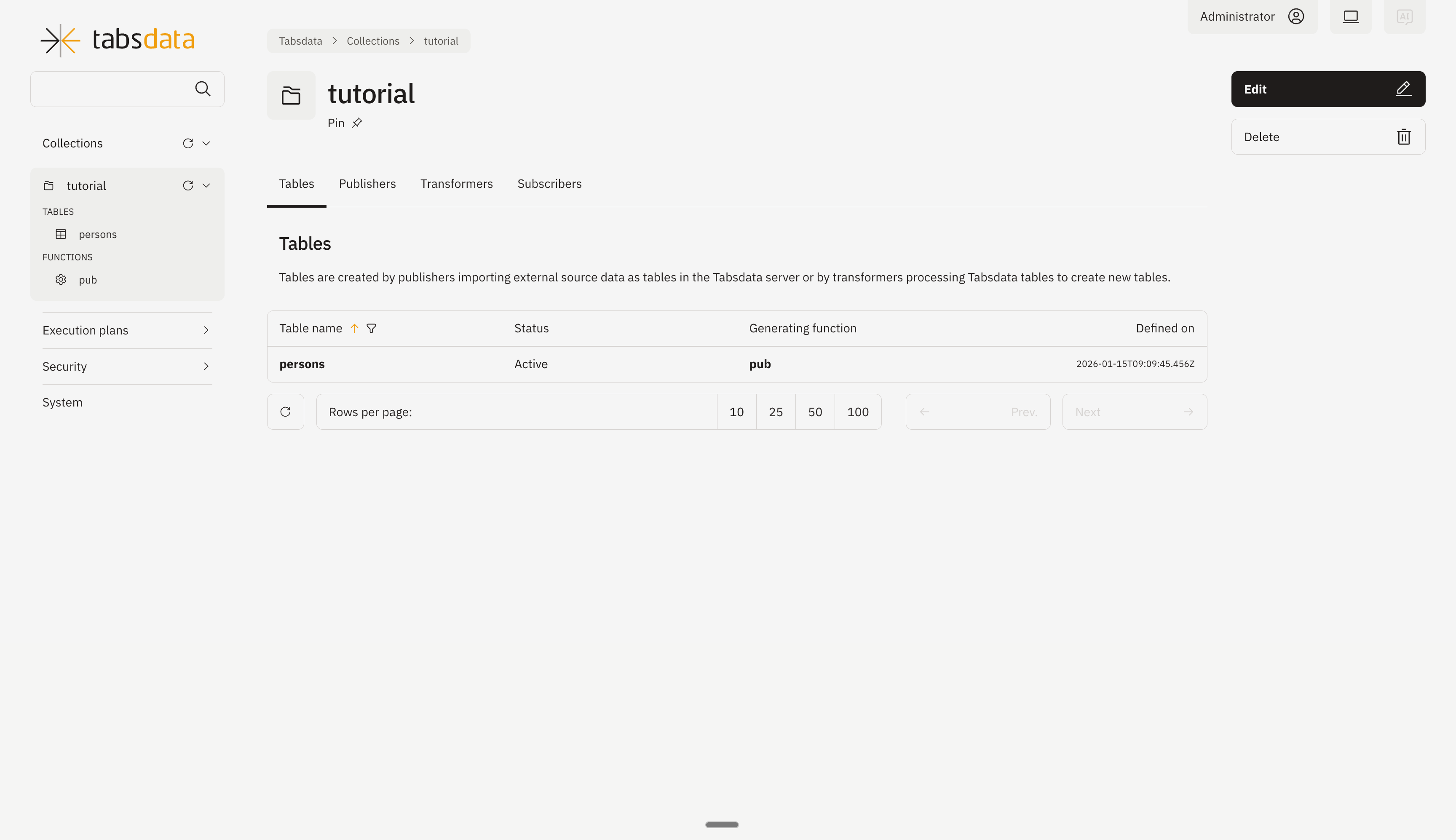
Click on “Publishers” to open the publishers registered in the collection.
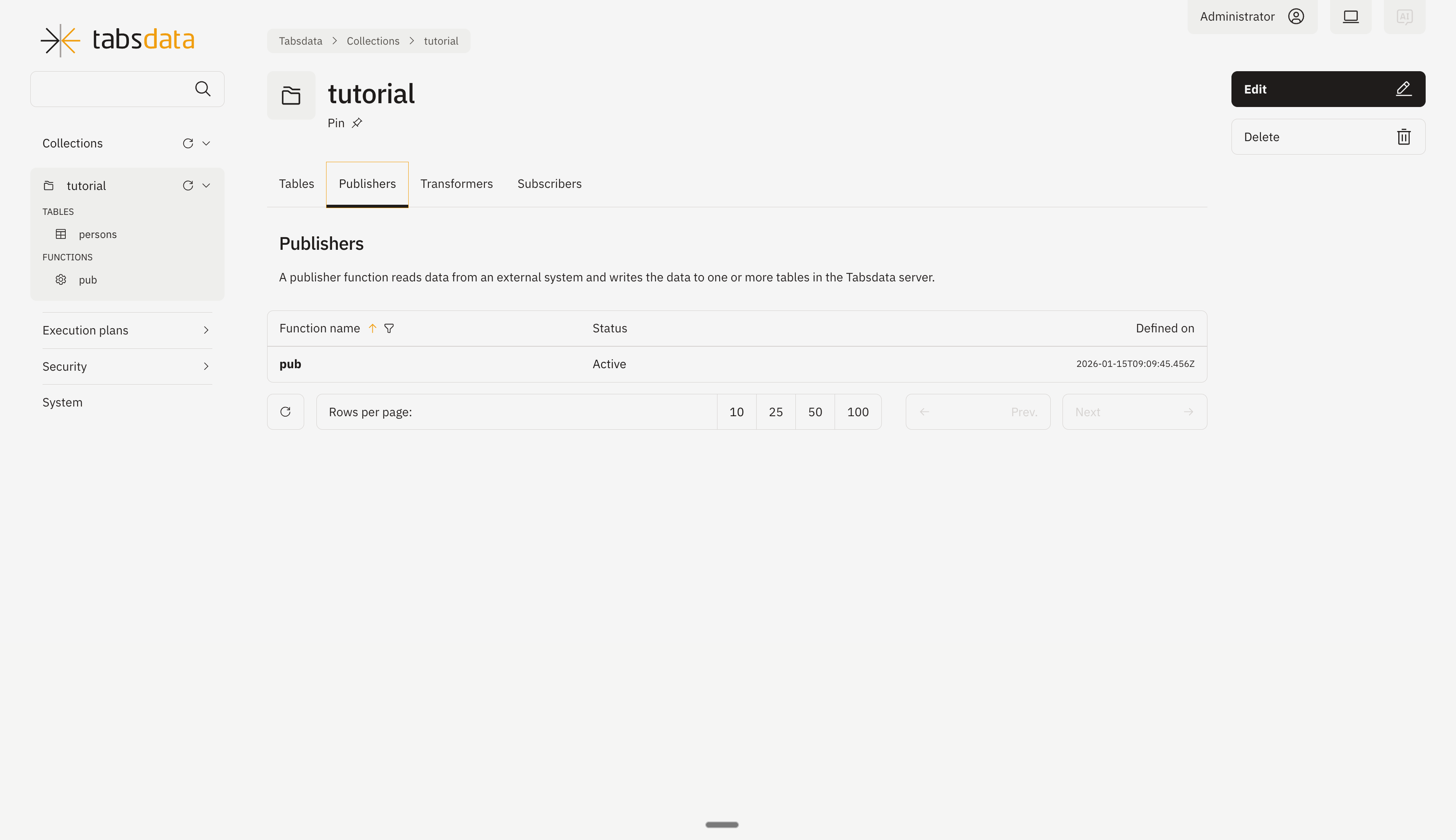
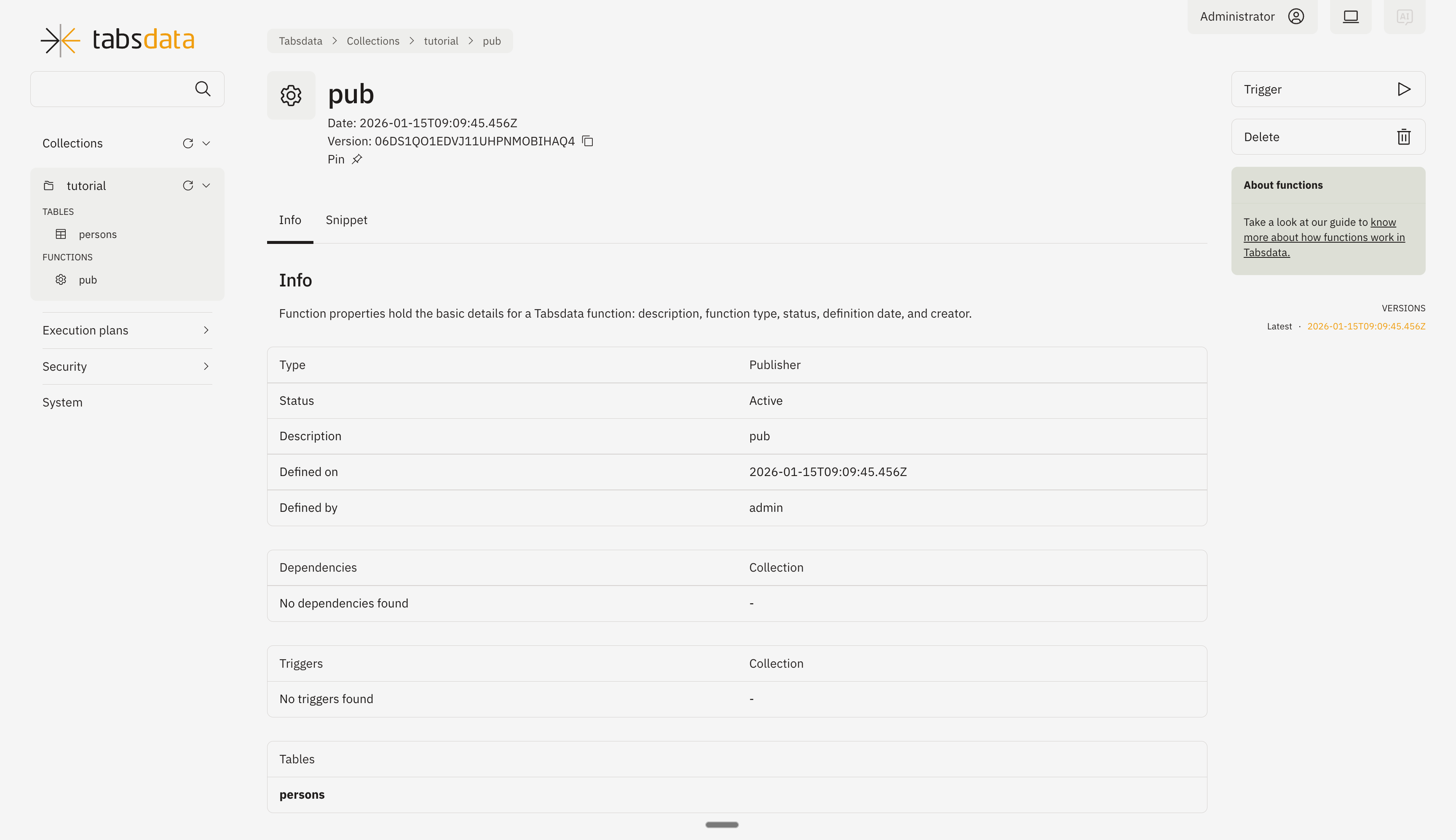
Open the publisher details by clicking on “pub” in the list. Click on trigger on the top right to trigger the execution of the publisher.
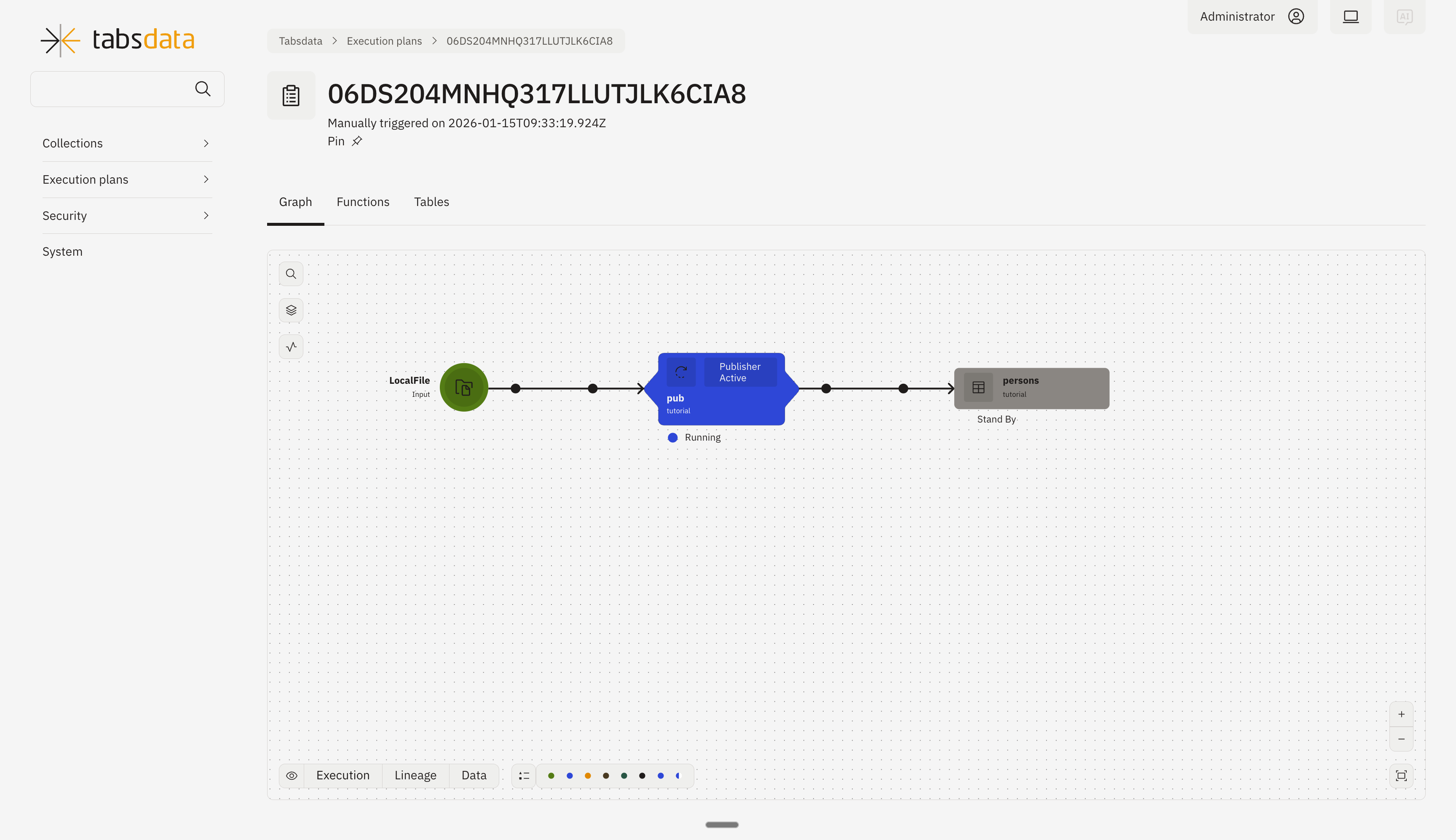
You can monitor the status of trigger through this diagram.
Automated Triggers
Automated triggers are initiated by a new commit to one of the tables associated with the function. For example, you might define an inventory subscriber function that exports data from a Tabsdata inventory table to AWS S3 every time the inventory table receives a commit.
Note that a commit does not always include changes in the table data. For example, a publisher that writes to three tables performs a commit to all three tables with each execution, irrespective of whether there is a change in data for any of the tables.
Since, the functions are automatically triggered which in turn create a new commit to other tables, Tabsdata enables a cascading workflow of updates to downstream tables.
trigger_by
Triggers in Tabsdata functions are defined using the trigger_by property. There are three ways to
configure it:
Select a configuration to see what it does and how it looks in code.
Default behavior
When trigger_by is omitted, the behavior depends on the kind of function:
- Publishers have no trigger by default, so the publisher can only be triggered manually.
- Transformers and subscribers are triggered by a commit to any of their input tables. To trigger on a different set of tables, define
trigger_bywith a non-empty array.
@td.transformer(
  input_tables=["sales"],
  output_tables=["sales_by_rep"],
)
def summarize(sales: tdf.TableFrame) -> tdf.TableFrame:
  return sales
Crontab Triggers
With Crontab triggers, Publishers, Subscribers, and Transformers can be configured to run periodically within Tabsdata without the need for manual triggers or external schedulers.
Similar to automated triggers, you work with the trigger_by parameter. However, unlike automated triggers, the trigger_by parameter must be configured with a CronTrigger object.
The CronTrigger object requires a Unix crontab mask and accepts optional start and end parameters.
Tabsdata uses the UTC timezone to interpret all crontab schedules.
Configuration Parameters
The mask Parameter
The mask parameter defines the frequency of the execution. It follows the standard Unix crontab specification consisting of 5 elements with minute precision.
- Syntax:
Minute Hour Day Month Day-of-Week - Extensions: Non-standard extensions (e.g.,
@hourly,@daily) are not supported.
Examples
| Mask | Description |
|---|---|
| 0,30 * * * * | Runs every 30 minutes (at the top of the hour and at minute 30). |
| 0 0 * * * | Runs daily at the beginning of the day (00:00 UTC). |
| 0 22 * * FRI | Runs at 10:00 PM (22:00 UTC) every Friday. |
References
The start and end Parameters
These optional parameters define a specific window of time during which the schedule is valid.
- Format: - A Python
datetimeobject with timezone information. - An ISO 8601 string in the UTC timezone (e.g.,
2024-01-01T12:00:00Z). - Behavior: - If specified: Tabsdata will only trigger the function based on the mask between the
startandendtimes. - If omitted: Tabsdata will trigger the function indefinitely based on the mask, starting from the moment the function is successfully registered.
Trigger Scheduling Lifecycle
The execution of Crontab triggers is dependent on the enabled status of the function.
- Registration: When registering or updating a function, it can be set as enabled (default) or disabled via the
tdkcommand line interface. - Runtime Control: An existing function can be toggled between enabled and disabled states with
tdk fn enable/tdk fn disable. - Enabled: Tabsdata will trigger the function according to the defined crontab mask.
- Disabled: Tabsdata will ignore the crontab mask and the function will not trigger automatically.
Example
The following is an example of a Publisher configured to trigger at the beginning of every hour.
from tabsdatak.api import publisher, TableFrameSpec
from tabsdatak.conn.mysql import MySQLSrc


@publisher(
    trigger_by=CronTrigger("0 * * * *"),
    source=MySQLSrc(
        queries=["SELECT * FROM my_table"],
    ),
    output_tables=["my_table"],
)
def my_publisher(my_table: TableFrameSpec) -> TableFrameSpec:
    return my_table
The connection details (host, credentials) live on the collection's connection file, not in the function. See MySQL for the full setup.